Emma Studio
A free web tool that turns a story idea or a finished script into scenes, a shot list and a sketched storyboard, then organises it all for the shoot day.
- My role
- Product designer and builder: research, UX, interface, build, launch
- Timeline
- 7 to 16 November 2026
- Built with
- AI as a coding partner, Cloudflare, Supabase, Capacitor
- Cost to users
- Free. Anyone can try it without an account
Film craft, for anyone
More people than ever are making video, and many of them live far from the places where film craft is taught. They have stories worth telling, but nobody showed them how to format a script, break it into scenes, plan shots or draw a storyboard.
Professional crews solve this with pre-visualisation: a scene breakdown, a shot list with camera details, and storyboard frames. It is slow, it takes skills most new creators don’t have, and it is spread across several paid tools. So small productions skip it, and the cost shows up on the shoot day as missed shots, wasted time and confused crews.
Give anyone with an idea the same planning a professional production would have, in plain steps, for free.
Giving back to the community
I come from a film and TV background, so I know how much a good plan saves on set, and how rarely new creators get to learn it. Emma Studio is my way of giving that knowledge back to the community.
First-time and independent creators
They have an idea but have never seen a shot list.
Writers with a finished script
They want to see it broken down and drawn before they shoot.
Film students and small crews
They need to plan quickly and share the plan.
Keeping it free was a design decision, not an afterthought. People can start without an account and only sign in when they want to save or export. Every account gets a daily allowance of AI requests, which keeps running costs predictable without putting a paywall in front of anyone.
From idea to shoot day
Emma Studio takes someone from an idea to a shoot-ready plan in four steps, then one more for the day itself. The screens follow The First Step, a short film script of mine, through the tool. It became 11 scenes, 45 shots and 45 sketched frames.
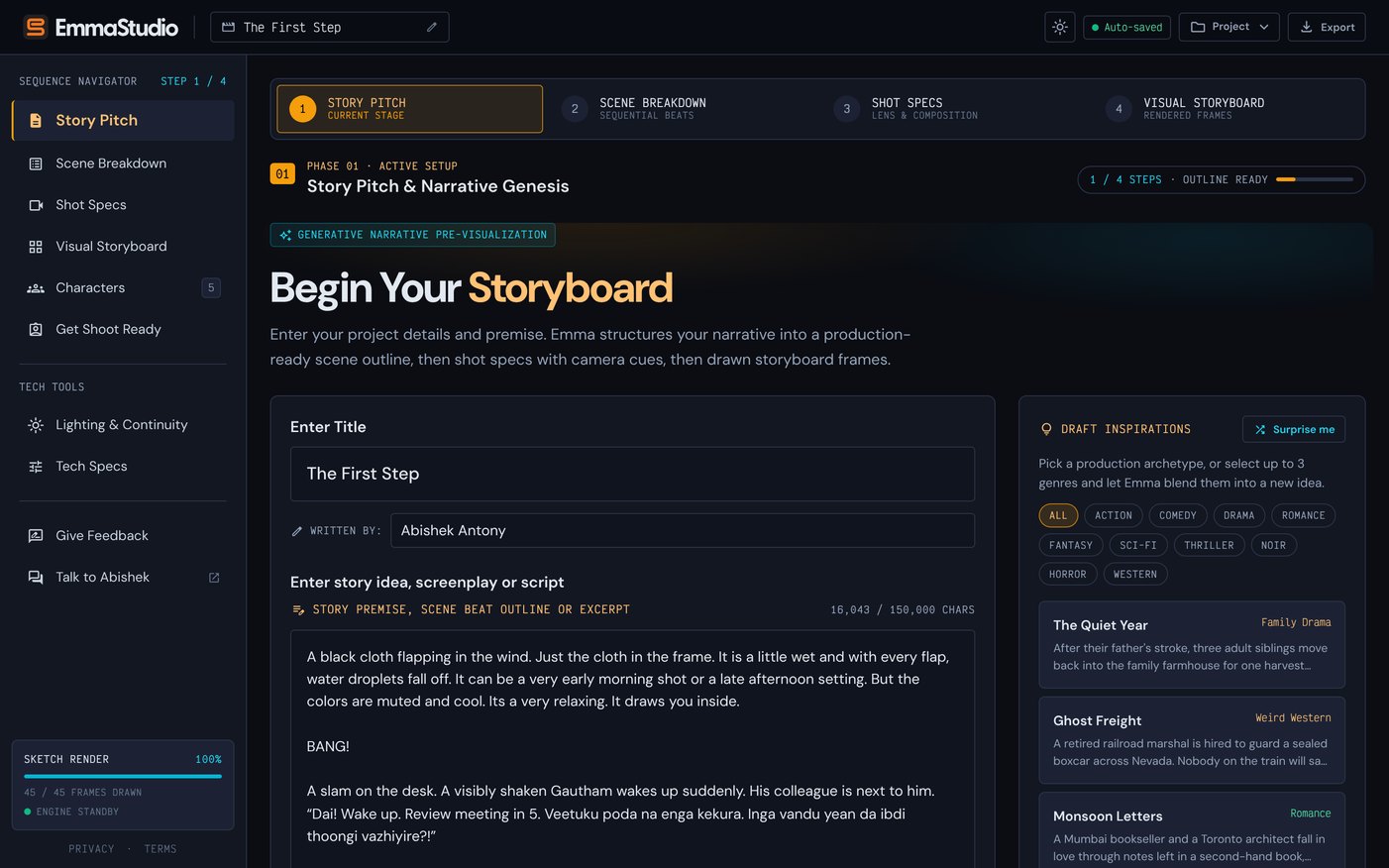
Story Pitch
Type an idea or drop in a script (PDF, Word, Final Draft, Fountain or text). Pick a format, a lens package and the camera rigs you actually own, so Emma only plans shots you can shoot.
Scene Breakdown
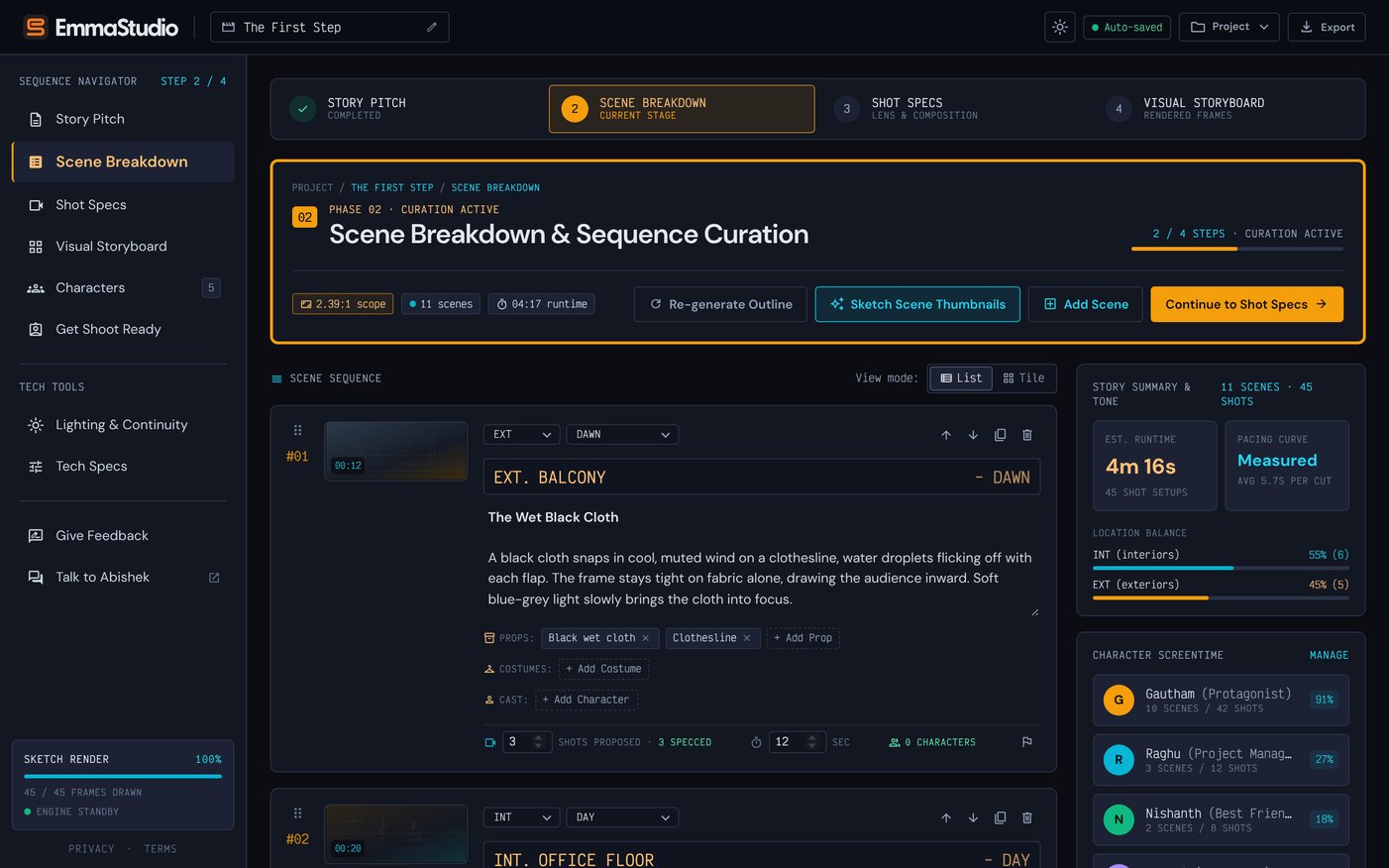
The story becomes scene cards with location, time of day, props, costumes and cast. Everything is editable, and a summary shows runtime, pacing and each character’s screen time.
Shot Specs
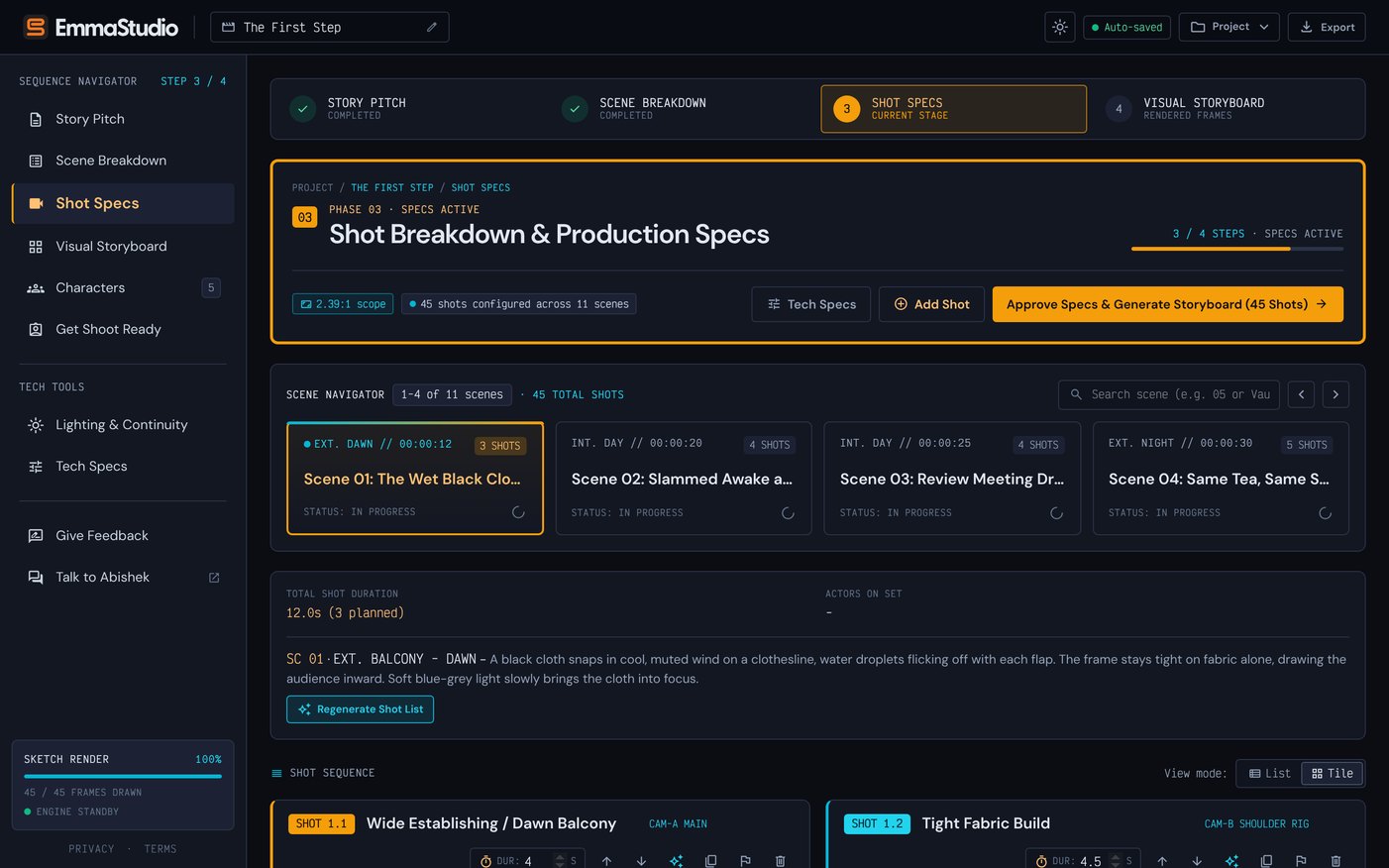
Each scene becomes shots with size, lens, movement, composition, blocking and dialogue tied to the right character.
Visual Storyboard
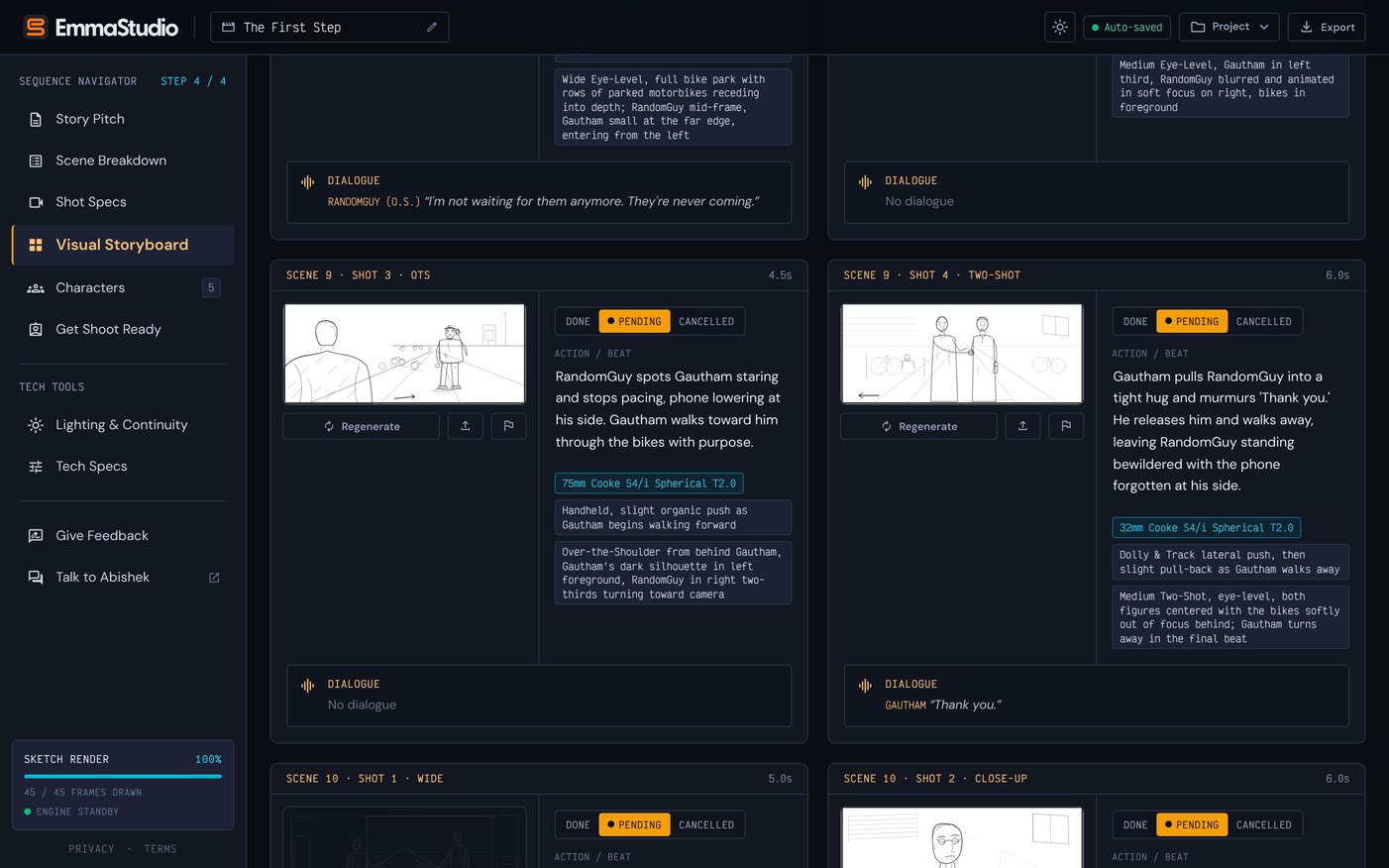
Emma sketches every shot as a pencil storyboard frame. Filmmakers can redraw a frame, upload their own image, or mark shots done or cancelled.
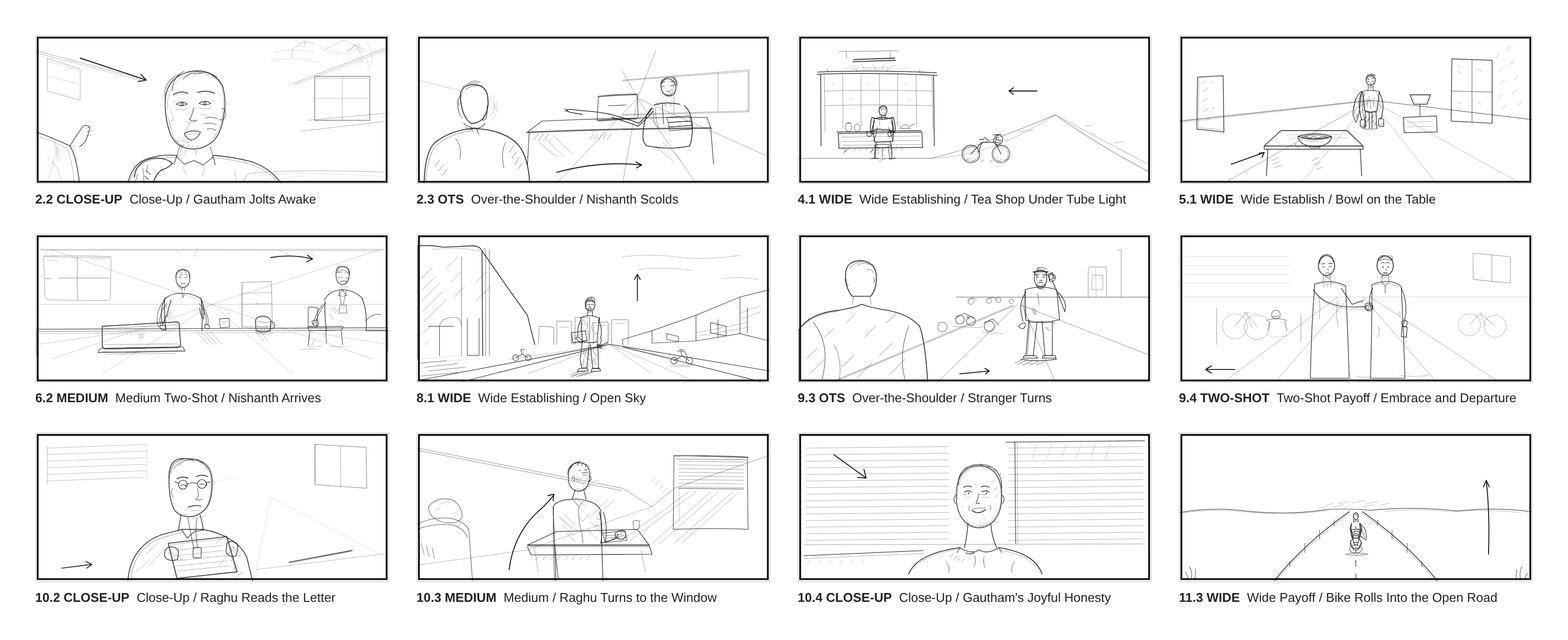
Twelve of the frames Emma drew for The First Step
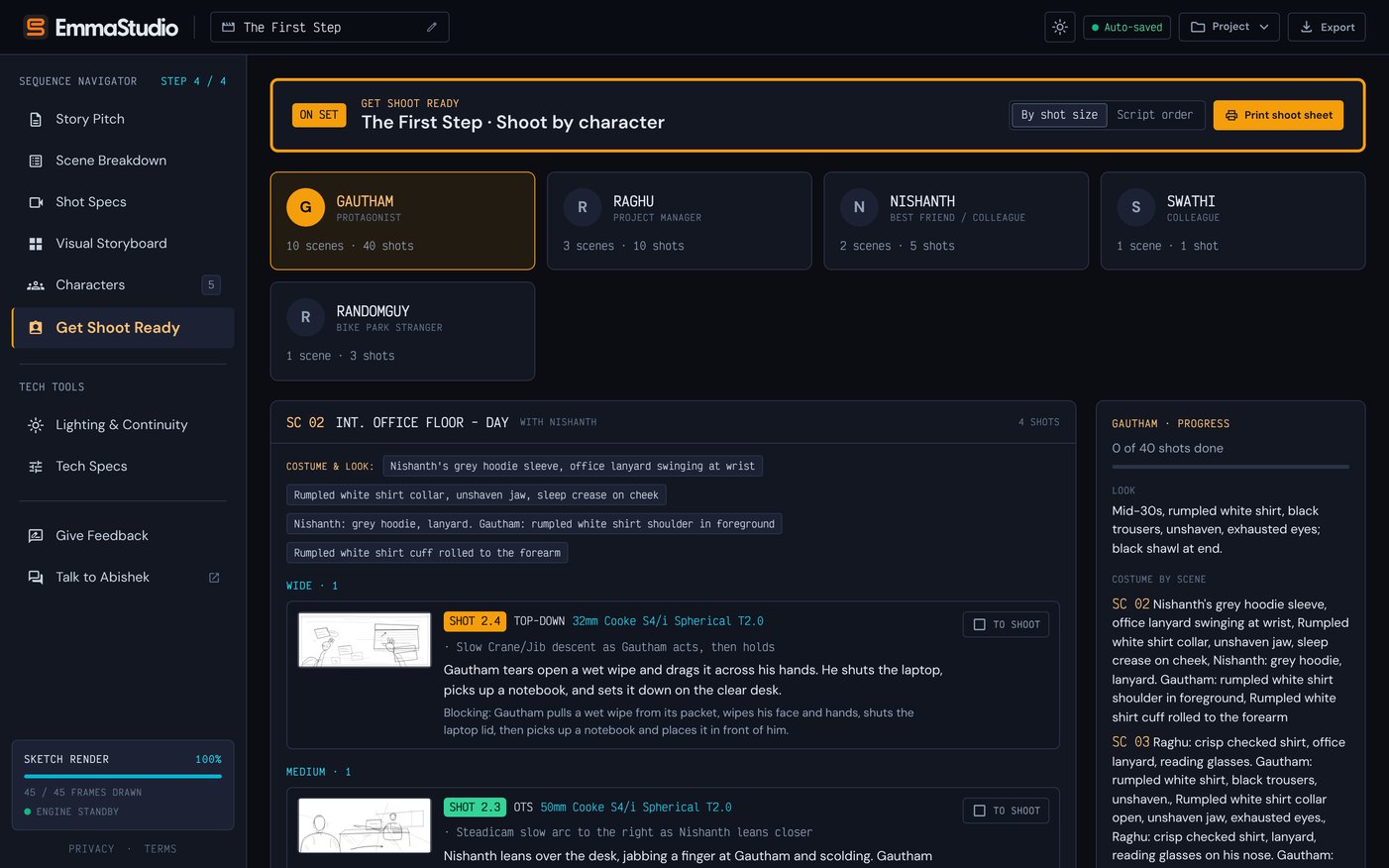
Get Shoot Ready
The plan is reorganised by character for the shoot day, with costume notes, a checklist of shots and a printable shoot sheet. This is the step that turns a storyboard into a day on set.
Built with AI, not by AI
AI wrote much of the code, but it did not design the product. There was no single prompt that produced Emma Studio. It came from many small rounds: I described what I wanted, looked at a preview, pushed back, and decided what to keep. Nothing shipped until I said ‘build’, and nothing was packaged until I said ‘zip’. That gave me dated releases I could always go back to.
The decisions that shaped the product were mine
| Decision | What I chose | Why |
|---|---|---|
| When to ask people to sign in | Only when they save or export | My first rule was that nobody should hit a login wall before they see what the tool does |
| AI imagination vs. the writer’s own words | A toggle: imaginative mode, or literal script mode that keeps dialogue word for word | Writers with a finished script don’t want AI rewriting it |
| Price | Free, with a daily AI allowance per person | Keeps it open to everyone while keeping costs predictable |
| Where the AI key lives | On the server, never in the browser | Protects the service and the people using it |
| Shoot-day output | A Get Shoot Ready view and a shoot-sheet PDF | A storyboard is only useful if it helps on the day |
| Mobile | Wrap the working web app instead of rebuilding it | One product to maintain, not two |
The AI was fast, but it sometimes suggested an approach that didn’t exist, or changed something I had asked it to leave alone. Reviewing every preview and catching those moments was part of the job.
Listening to a director
Five days after launch, a working director tried Emma Studio and sent feedback. Over the next four days, each point became a feature.
| What the director asked for | What I built |
|---|---|
| Use my own reference images, not only sketches | Image upload on any frame, with compression and a drop zone |
| Reaction shots, without the tool forcing them | Emma suggests reactions on each shot; the user keeps or dismisses each one |
| Something to use on set | Get Shoot Ready, an on-set view by character, plus a printable shoot sheet |
| Room for full-length scripts | Script limit raised from 40,000 to 150,000 characters, tested with a 117,557-character script |
The lesson for me: a real user in one week taught me more than my own assumptions had in the first five days.
- Buttons that only appeared on hover were invisible on phones. I made them always visible on touch screens.
- Reaction shots first showed only at scene level, where nobody looked. I moved them into each shot card.
- The first script limit was too small for a real screenplay, so I raised it.
- Some things are still untested on real devices, including touch behaviour on Android and the printed PDF output. I’d rather say so than claim they’re done.
- Native iPhone and Android apps, already wrapped, on hold while I focus on the web.
- Handling full-length scripts in chunks.
- A paid Pro tier for heavy users, so the free tier can stay free.
What I learned
AI multiplies judgment
It doesn’t replace it. The faster the build, the more the design decisions matter.
Remove friction first
Letting people start without an account was the single most important UX choice.
Ship small, keep every version
Dated releases made it safe to experiment.
A real user, early
One director’s feedback reshaped the product in a week.
Free can be sustainable
When costs are designed in from day one.
Be honest
About what isn’t finished.